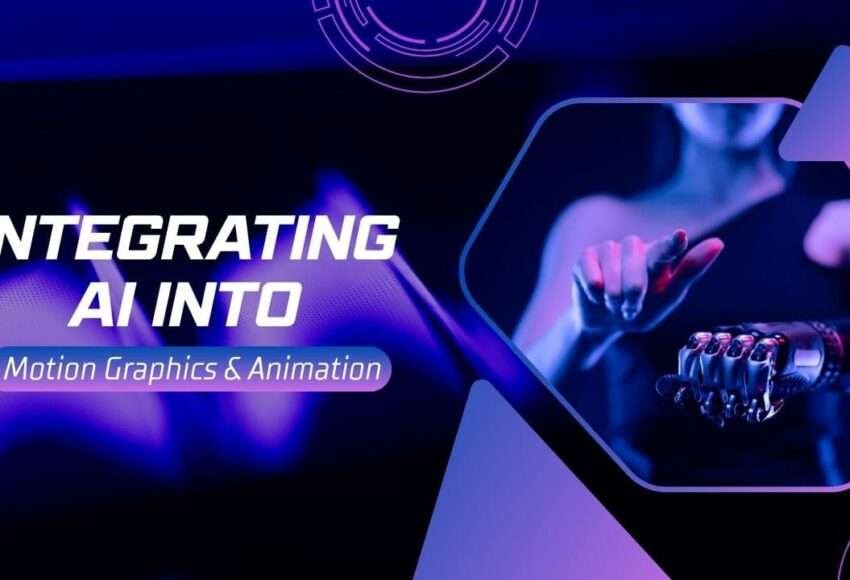
Integrating AI into Motion Graphics & Animation
The world of motion graphics and animation is evolving faster than ever — and at the heart of this revolution is Artificial Intelligence (AI). Once limited to manual design and frame-by-frame animation, today’s creative workflows are being reshaped by AI tools that automate, enhance, and inspire.
Whether you’re a motion designer, 3D artist, or student exploring the future of animation, understanding how AI integrates into the process is key to staying ahead in 2025 and beyond.
In this blog, we’ll explore how AI is transforming motion graphics and animation, the tools leading the change, and how you can adapt your skills to this exciting new era.
1. The Rise of AI in Creative Industries
AI isn’t just for data and automation anymore — it’s now deeply embedded in creative design and animation.
From idea generation and character design to scene rendering and motion tracking, AI helps artists save time, reduce repetitive tasks, and focus on creativity.
Today’s AI-driven tools can:
- Generate concept art and storyboards instantly
- Create automatic lip-syncs and facial animations
- Analyze motion and replicate human-like movements
- Suggest color palettes and composition ideas
- Optimize rendering time using smart algorithms
These innovations are helping creators deliver professional-quality animations in a fraction of the time.
2. How AI Enhances Motion Graphics Workflows
Let’s break down the specific ways AI integrates into the motion graphics and animation pipeline:
a. Pre-Production: Ideation and Storyboarding
AI tools like Runway ML, Midjourney, and ChatGPT help artists brainstorm concepts, create storyboards, and even write scripts.
For example:
- You can describe a scene in text, and AI can generate visual storyboards.
- Chat-based AI can suggest storyline ideas or animation sequences.
This drastically cuts down pre-production time and boosts creative direction.
b. Design and Asset Creation
Creating visual assets is often time-consuming, but AI image generators such as Adobe Firefly, D-ID, and Leonardo AI can produce backgrounds, textures, and characters instantly.
Artists can then refine these AI-generated visuals in tools like After Effects, Cinema 4D, or Blender, maintaining control while enjoying faster workflows.
c. Animation and Motion Assistance
AI is making animation smoother and more intuitive. Tools like EbSynth and DeepMotion use AI to apply real human motion to 2D or 3D characters.
For example:
- A motion designer can record a short video of themselves and use AI to transfer that motion data to a digital character.
- Lip-syncing and facial animation are automated using AI-driven tools such as Papercup or Wav2Lip, saving hours of manual work.
d. Post-Production: Editing and Enhancement
AI also shines in post-production — enhancing quality, adjusting lighting, or automating repetitive edits.
Some practical examples include:
- AI upscaling tools (like Topaz Video Enhance AI) improve resolution.
- Adobe Sensei (built into Premiere Pro and After Effects) automatically removes backgrounds, tracks motion, and suggests edits.
- Color correction AI can match tones across multiple scenes in seconds.
The result? Sharper visuals, better consistency, and more time for storytelling.
3. Top AI Tools for Motion Graphics & Animation (2025)
Here are some of the most popular AI-powered tools professionals are using today:
| Tool Name | Primary Use | Key Features |
| Runway ML | AI video editing & motion tracking | Text-to-video, object removal, green screen |
| DeepMotion | Character animation | Converts video to 3D motion data |
| Pika Labs | Text-to-video animation | AI-powered cinematic generation |
| Adobe Firefly | AI visual generation | Text-based image and texture creation |
| Kaiber | AI motion effects | Turns still images into moving visuals |
| Sythesia | Video avatars & voice syncing | AI presenters for animated explainers |
| D-ID | AI facial animation | Talking photo animations |
| Topaz Labs | Video enhancement | Upscaling, denoising, frame interpolation |
Each of these tools integrates smoothly with traditional software like After Effects, Blender, or Maya, creating hybrid workflows that blend AI automation with human creativity.
4. Benefits of AI in Animation and Motion Design
AI offers significant advantages to both beginners and professionals:
- Faster Workflow: Automates repetitive tasks like rigging, masking, and rotoscoping.
- Enhanced Creativity: AI can generate visual ideas that spark human imagination
- Cost Efficiency: Reduces production costs by speeding up editing and rendering.
- High-Quality Output: Produces realistic lighting, motion, and textures with precision.
- Accessibility: Enables smaller studios and freelancers to create Hollywood-level effects.
5. Will AI Replace Motion Designers?
This is the big question — and the short answer is no.
AI is not a replacement but an assistant. While AI can automate technical processes, the creative vision, storytelling, and emotional connection behind design still come from humans.
AI handles the “how,” but humans still decide the “why.”
For instance, AI can animate a character walking — but only a designer knows why that character is walking, where they’re going, and what emotion to convey.
So, the best professionals of the future will be AI-powered artists — skilled in both design principles and smart use of AI tools.
6. How Students Can Get Started
If you’re a student interested in motion graphics and animation, now is the best time to learn AI integration.
Here’s a roadmap to get started:
- Learn the basics of motion design using tools like After Effects or Blender.
- Experiment with AI tools like Runway ML, Pika Labs, or Firefly.
- Build small projects combining AI and manual design.
- Keep learning — AI tools evolve quickly, so staying updated is key.
Institutes like DMG Multimedia Institute are already integrating AI-driven motion graphics modules into their courses, preparing students for the next generation of creative jobs.
7. The Future of AI in Animation
The future of animation will be AI-assisted, not AI-replaced.
Expect to see:
- Fully AI-generated short films
- Real-time animation controlled by voice or gestures
- Smart editing tools predicting creative choices
- Seamless collaboration between designers and AI systems
The line between technology and creativity will continue to blur — giving rise to a new generation of AI-empowered artists who can bring imagination to life faster than ever.
Conclusion
AI is not here to take away your creativity — it’s here to amplify it.
In the hands of skilled designers, AI becomes a creative partner, opening new possibilities in storytelling, animation, and design.