
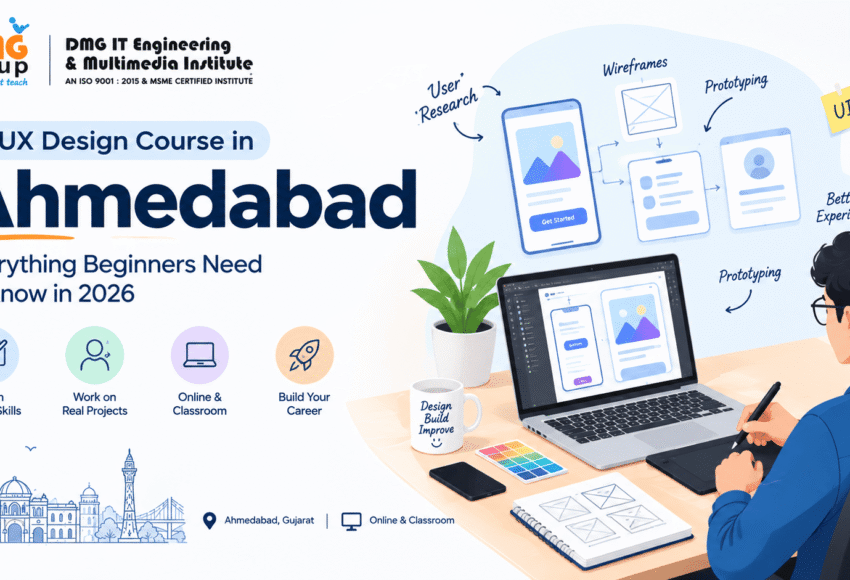
UI UX Design Course in Ahmedabad: Everything Beginners Need to Know in 2026
Websites and mobile applications have become an essential part of everyday life. Whether people are shopping online, booking appointments, using banking applications, ordering food or learning through an online platform, their experience with a digital product matters.
This is where UI and UX design come into the picture.
UI UX designers help businesses create digital products that are visually appealing, easy to understand and convenient to use. As companies continue to invest in websites, mobile applications and digital platforms, UI UX design has become an attractive career option for students, freshers, graphic designers, digital marketers and professionals looking to develop a new skill.
For beginners searching for a UI UX Design Course in Ahmedabad, understanding the difference between UI and UX, required skills, tools, career opportunities and learning options is important before choosing a course.
Ahmedabad is an important business and education hub in Gujarat, making it a practical location for students interested in creative and technology-related careers. Learners can find different options ranging from specialized UI UX programs to broader digital creative courses, Online & Classroom training and graphic design programs that include UI design.
This guide explains everything beginners should know before starting a UI UX design career in 2026.
What Is UI UX Design?
UI and UX are related but different areas of digital product design.
What Is UX Design?
UX stands for User Experience.
UX design focuses on how a person interacts with a website, application or digital product.
A UX designer considers questions such as:
- Is the product easy to use?
- Can users find information quickly?
- Is the navigation logical?
- Where might users face difficulties?
- What steps are required to complete a task?
- How can the overall experience be improved?
UX design involves research, planning, information architecture, user flows, wireframes, testing and problem-solving.
What Is UI Design?
UI stands for User Interface.
UI design focuses more on the visual and interactive elements users see on the screen.
This can include:
- Colors
- Typography
- Buttons
- Icons
- Forms
- Cards
- Navigation bars
- Images
- Spacing
- Layouts
- Interactive states
In simple terms:
UX = How the product works and feels
UI = How the product looks and behaves visually
A professional digital product generally needs both.
Why Learn UI UX Design in 2026?
The way businesses communicate with customers has changed significantly. A company may have a website, mobile application, e-commerce platform, customer portal or online service.
If these products are confusing or difficult to use, users may leave.
This makes good digital experiences valuable to businesses.
UI UX skills can be useful in industries such as:
- IT
- E-commerce
- Banking
- Healthcare
- Education
- Real estate
- Travel
- Entertainment
- Digital marketing
- SaaS
- Startups
Students can also combine UI UX with graphic design, digital marketing, web design or front-end development to create a broader skill set.
Who Can Learn UI UX Design?
One of the advantages of UI UX design is that beginners can start learning without necessarily having an advanced technical background.
A UI UX course can be suitable for:
- 12th-pass students
- College students
- Graduates
- Freshers
- Graphic designers
- Digital marketers
- Content creators
- Web designers
- Entrepreneurs
- Freelancers
- Working professionals
A person who enjoys creativity, problem-solving and technology may find UI UX particularly interesting.
You don’t have to be an expert artist to become a UI UX designer.
Instead, you need to develop an understanding of users, design principles, digital interfaces and problem-solving.
What Do You Learn in a UI UX Design Course?
A good UI UX course should combine concepts with practical projects.
Here are some important areas beginners can learn.
1. Design Fundamentals
Before designing an interface, students should understand:
- Color theory
- Typography
- Composition
- Contrast
- Alignment
- Spacing
- Visual hierarchy
- Consistency
These fundamentals are also useful for graphic designers.
This is why students comparing a Best Graphic Design Course in Ahmedabad may also find UI UX modules useful, especially if they want to build skills across digital design.
2. User Research
UX design begins with understanding users.
Students may learn how to:
- Identify target users
- Understand user requirements
- Conduct basic interviews
- Create user personas
- Identify user problems
- Analyze competitor products
The objective is to design based on user needs rather than assumptions.
3. User Personas
A persona represents a typical user of a product.
For example, a food-delivery application could have personas representing:
- College students
- Working professionals
- Families
Each group may have different needs.
Understanding these differences helps designers make better product decisions.
4. User Journey Mapping
A user journey map shows the steps a person takes while interacting with a product or service.
For example:
Open website → Search product → Compare options → Add to cart → Payment → Confirmation
A UX designer can identify problems at each stage and look for ways to make the process easier.
5. Information Architecture
Information architecture involves organizing content logically.
For a website, this could involve deciding how pages should be arranged:
Home → Products → Categories → Product Details → Checkout
Good information architecture helps users find what they need without confusion.
6. User Flows
A user flow represents the steps required to complete a particular task.
For example:
Login → Dashboard → Select Service → Enter Details → Confirmation
Students learn how to visualize these processes before creating final interfaces.
7. Wireframing
A wireframe is a basic representation of a digital screen.
It focuses primarily on:
- Structure
- Content placement
- Navigation
- Functionality
- User flow
Wireframes help designers solve structural problems before spending time on detailed visual design.
8. UI Design
After the structure is established, students can create the visual interface.
This includes:
- Colors
- Typography
- Buttons
- Icons
- Cards
- Forms
- Navigation
- Images
- Layouts
The goal is to create an interface that is both visually attractive and easy to use.
9. Prototyping
A prototype is an interactive representation of a digital product.
It allows designers and stakeholders to experience how the interface may work before development.
Prototypes can demonstrate:
- Button interactions
- Page transitions
- Navigation
- Forms
- Menus
- User flows
Prototyping is particularly useful for identifying problems early.
10. Usability Testing
A design should be tested with users whenever possible.
Usability testing can help identify:
- Confusing navigation
- Difficult forms
- Unclear buttons
- Content problems
- Accessibility issues
- Unnecessary steps
The designer can then improve the product based on feedback.
Which Tools Should a Beginner Learn?
There are many design tools available, but beginners do not need to learn everything.
Figma
Figma is widely used for UI design, wireframing, prototyping and collaborative design workflows.
Adobe Photoshop
Photoshop is useful for image editing and visual content creation.
Adobe Illustrator
Illustrator is useful for vector graphics, icons, illustrations and branding.
Canva
Canva can be useful for quick marketing graphics and social media content.
A learner who already has graphic design knowledge can combine these skills with UI UX.
UI UX Design vs Graphic Design
These careers overlap but have different primary objectives.
| Graphic Design | UI UX Design |
|---|---|
| Visual communication | Digital product experience |
| Branding | User experience |
| Posters | Websites |
| Social media graphics | Mobile applications |
| Logos | Digital interfaces |
| Packaging | User flows |
| Advertisements | Wireframes and prototypes |
| Print and digital media | Usability and interaction |
However, the skills can complement each other.
For example, a graphic designer who learns UI UX can move into digital interface design, while a UI designer with strong graphic design fundamentals may have a better understanding of typography, color and visual hierarchy.
How to Choose the Right UI UX Course in Ahmedabad
There are many training options in Ahmedabad, so beginners should compare courses carefully.
Look at the following factors before enrolling.
1. Curriculum
Make sure the course covers both UI and UX rather than focusing only on visual interface design.
2. Practical Projects
A good course should include projects such as:
- Website redesign
- Mobile app design
- E-commerce website
- Dashboard
- Landing page
- Booking application
- Portfolio website
3. Figma Training
Figma is an important tool to consider when evaluating a modern UI UX course.
4. Portfolio Development
A strong portfolio can be more useful than simply collecting certificates.
5. Trainer Experience
Look for trainers who can explain real-world design decisions and provide practical feedback.
6. Industry-Oriented Learning
The course should ideally expose students to real design workflows, project briefs and client-style requirements.
7. Online & Classroom Options
If you need flexibility, check whether the institute provides both Online & Classroom learning.
Finding the Top Graphic Design Institute in Ahmedabad
Some students search for a Top Graphic Design Institute in Ahmedabad because they want to learn both graphic design and UI UX.
If you’re comparing institutes, create your own List of Graphic Design Institute options and evaluate each one.
Consider:
- Course curriculum
- Faculty
- Practical projects
- Software training
- UI UX modules
- AI tools
- Portfolio support
- Course duration
- Fees
- Certification
- Career assistance
- Online/classroom options
Don’t choose an institute simply because it describes itself as “top” or “best.” Compare the actual learning experience and curriculum.
Can Graphic Designers Move Into UI UX?
Yes.
Graphic designers already understand several important visual concepts that are useful in UI design.
These include:
- Typography
- Color
- Composition
- Visual hierarchy
- Branding
- Layout
- Image selection
However, UI UX requires additional skills such as:
- User research
- User flows
- Wireframing
- Prototyping
- Usability testing
- Interaction design
- Design systems
Therefore, graphic designers can build on their existing skills by learning UX processes and interface design.
This is also why some learners begin with a Graphic Design Training program and later specialize in UI UX.
The Role of AI in UI UX Design
Artificial intelligence is becoming increasingly relevant to the design industry.
A Graphic Design with AI Course can introduce students to AI-assisted creative workflows, while UI UX designers can also use AI for certain tasks.
AI may help with:
- Brainstorming
- Generating design ideas
- Creating content variations
- Image generation
- Image editing
- Research assistance
- Summarizing user feedback
- Creating design alternatives
- Prototyping assistance
- Workflow automation
However, AI does not remove the need for human design judgment.
A professional designer still needs to understand:
- User needs
- Business objectives
- Accessibility
- Visual hierarchy
- Usability
- Branding
- Interaction patterns
The most valuable skill combination in 2026 is therefore:
UX Thinking + UI Design + Design Fundamentals + Technology + AI Literacy
Online Graphic Design Course vs Classroom Learning
Some beginners may find that a dedicated UI UX course is not the only option. They may also consider an Online Graphic Design Course that includes UI design modules.
Online Learning
An online program can be useful for people who need:
- Flexible schedules
- Home-based learning
- Recorded lessons
- Remote access
- Less travel
However, learners need discipline and regular practice.
Classroom Learning
Classroom Graphic Design Training can provide:
- Direct trainer interaction
- Immediate feedback
- Structured learning
- Peer interaction
- Practical demonstrations
Which Is Better?
Neither option is automatically better.
If flexibility is important, an online course may be suitable. If you prefer personal guidance and a structured environment, classroom learning may be more appropriate.
A course offering Online & Classroom options can give students greater flexibility.
Career Opportunities After UI UX Training
After developing UI UX skills, students can explore several career paths.
UI Designer
Creates the visual interface of websites and applications.
UX Designer
Focuses on user research, user flows, information architecture and overall experience.
Product Designer
Works across UX and UI to solve broader digital product problems.
UX Researcher
Studies user behavior, needs and feedback.
Interaction Designer
Focuses on how users interact with digital interfaces.
Visual Designer
Combines visual communication and digital interface design.
Web Designer
Creates the visual and structural design of websites.
Freelance UI UX Designer
Works with clients on websites, applications and digital products.
UI UX Designer Salary and Career Growth
Salary depends on factors such as:
- Experience
- Portfolio
- Skills
- Company
- Location
- Specialization
- Product experience
- Communication ability
Beginners generally start at entry-level positions, while experienced designers can progress toward senior designer, product designer, design lead or design management roles.
Rather than choosing a course based on a promised salary, focus on developing skills that employers actually need.
A strong portfolio containing well-explained case studies can help demonstrate your abilities to potential employers.
How to Build a UI UX Portfolio
Your portfolio should demonstrate how you solve problems, not just show attractive screens.
A beginner portfolio could contain three to five detailed projects.
For each project, show:
1. Problem
What problem were you trying to solve?
2. Research
Who are the target users?
3. User Persona
What are their needs and challenges?
4. User Flow
How will users complete their task?
5. Wireframes
Show the initial structure.
6. UI Design
Show the final interface.
7. Prototype
Demonstrate important interactions.
8. Testing
Explain what feedback you received.
9. Improvements
Show how the design changed after testing.
This turns your portfolio into a case-study-based portfolio, which can communicate your design thinking more effectively.
Beginner Roadmap for UI UX Design in 2026
If you’re starting from zero, follow this roadmap.
Month 1: Design Fundamentals
Learn:
- Typography
- Color
- Layout
- Composition
- Visual hierarchy
Month 2: UX Fundamentals
Study:
- User research
- Personas
- User journeys
- Information architecture
- User flows
Month 3: Wireframes & Figma
Practice:
- Wireframes
- Components
- Layouts
- Auto layout
- Prototypes
Month 4: UI Design
Create:
- Landing pages
- Mobile app screens
- Dashboards
- E-commerce interfaces
Month 5: UX Projects
Complete one or two detailed case studies.
Month 6: Portfolio & Career
Prepare:
- Portfolio
- Resume
- LinkedIn profile
- Interview preparation
- Internship applications
After this foundation, continue learning advanced UX, design systems, accessibility, research and AI-assisted workflows.
UI UX Career Opportunities in Ahmedabad and Gujarat
Students looking for opportunities in Gujarat can explore UI UX roles in different industries.
Ahmedabad’s business environment includes companies working in areas such as:
- Technology
- E-commerce
- Finance
- Healthcare
- Education
- Manufacturing
- Real estate
- Retail
- Digital services
UI UX designers may work for technology companies, startups, agencies or businesses with internal digital teams.
They can also work remotely with companies located outside Gujarat.
Do You Need Coding to Become a UI UX Designer?
No, coding is not compulsory for starting a UI UX design career.
UI UX designers primarily focus on designing the experience and interface.
However, basic knowledge of HTML, CSS and how websites or applications work can be helpful.
It allows designers to communicate more effectively with developers and understand technical limitations.
Therefore:
Coding is not mandatory, but basic technical knowledge can be an advantage.
Common Mistakes Beginners Make
1. Focusing Only on Visual Design
UI UX is not just about making attractive screens.
2. Ignoring UX Research
Design decisions should consider users and their needs.
3. Learning Too Many Tools
Start with the tools required for your goals.
4. Copying Existing Designs
References are useful for learning, but your portfolio should demonstrate your own thinking.
5. Creating Only Screenshots
Explain the complete problem-solving process.
6. Ignoring Accessibility
Good design should consider readability, contrast and different user needs.
7. Depending Completely on AI
AI can assist designers, but human judgment remains important.
Frequently Asked Questions
1. What is a UI UX Design Course?
A UI UX course teaches students how to research users, plan digital experiences, create wireframes, design interfaces, build prototypes and test digital products.
2. Can beginners learn UI UX design?
Yes. Beginners can start with design fundamentals and gradually learn UX concepts, UI design and tools such as Figma.
3. Is UI UX a good career in Ahmedabad?
UI UX can be a promising career option for people interested in design, technology and problem-solving. Opportunities can exist across technology, e-commerce, agencies and other digital industries.
4. Do I need coding to learn UI UX?
No. Coding is not compulsory for UI UX design, although basic knowledge of web technologies can be beneficial.
5. Is graphic design useful for UI UX?
Yes. Graphic design skills such as typography, color, composition and visual hierarchy can provide a useful foundation for UI design.
6. What is the difference between UI and UX?
UX focuses primarily on the user’s overall experience and interaction with a product, while UI focuses on the visual interface and interactive elements.
7. Which tool should I learn first?
Figma is a practical starting point for many beginners because it supports wireframing, UI design and prototyping.
8. Is an Online Graphic Design Course useful for UI UX?
It can be useful if the course includes relevant UI design, digital design and portfolio projects. For dedicated UX skills, a specialized UI UX curriculum may be preferable.
9. What should I look for in a Graphic Design School?
Check its curriculum, faculty, practical training, software, portfolio support, AI exposure, course format, duration and career assistance.
10. How do I choose the Top Graphic Design Institute in Ahmedabad?
Create a List of Graphic Design Institute options and compare curriculum, practical projects, trainers, software, portfolio development, fees, duration and learning mode.
11. What is a Graphic Design with AI Course?
It is a design program that combines graphic design fundamentals with AI-assisted tools for creative ideation, image generation, editing and workflow support.
12. Can I learn UI UX online and work as a freelancer?
Yes. You can learn online and eventually offer freelance UI UX services after developing sufficient skills, case studies, portfolio projects and client communication abilities.
Conclusion
A UI UX Design Course in Ahmedabad can be a valuable starting point for beginners who want to build a career at the intersection of creativity, technology and problem-solving.
The most important thing is to understand that UI UX is more than learning a design application. A successful learner needs to understand users, research, information architecture, wireframing, visual design, interaction, prototyping and usability.
If you are already interested in graphic design, enrolling in a Graphic Design Training program that includes UI design can provide a useful foundation. Students can also compare a Graphic Design College, Graphic Design School or specialized design institute depending on their educational and career goals.
For learners in Ahmedabad and in Gujarat, both classroom and Online & Classroom programs can provide different learning options. An Online Graphic Design Course may suit students who need flexibility, while classroom training may be preferable for learners who want direct trainer interaction.
In 2026, AI is another important skill to understand. Learning AI-assisted workflows through a Graphic Design with AI Course can complement traditional design knowledge and help students understand how modern creative teams work.
Ultimately, the best career strategy is:
Learn Design Fundamentals → Understand UX → Master UI Design → Learn Figma → Build Projects → Create Case Studies → Develop Your Portfolio → Gain Experience → Keep Learning
If you are a beginner, don’t worry about mastering everything at once. Start with the fundamentals, practice consistently, create real projects and gradually develop the skills required for the type of UI UX career you want to build.