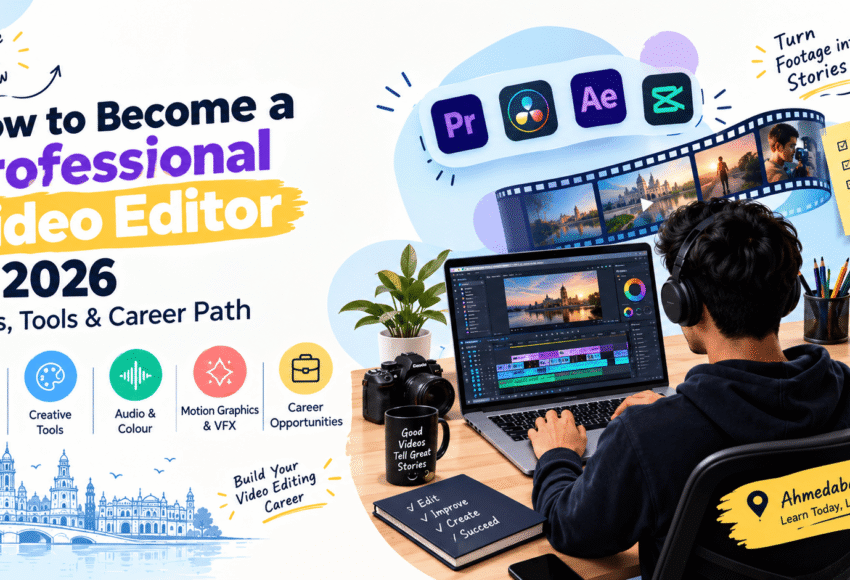
How to Become a Professional Video Editor in 2026: Skills, Tools & Career Path
Video content is everywhere in 2026. Businesses, brands, YouTubers, influencers, production houses, advertising agencies, educational platforms, and digital marketing companies all rely on professional video content to communicate with their audiences.
This has increased the need for skilled video editors who can transform raw footage into engaging, professional, and platform-specific content.
But becoming a professional video editor requires more than learning editing software. You need to understand storytelling, pacing, audio, colour, motion graphics, visual effects, AI-assisted workflows, content formats, and portfolio development.
For students and beginners in Ahmedabad and Gujarat, a structured Video Editing Course in Ahmedabad can provide a practical path to developing these skills.
This guide explains how to become a professional video editor in 2026, which skills and tools to learn, how to build a portfolio, what career opportunities are available, and how to choose between online and classroom training.
What Does a Professional Video Editor Do?
A professional video editor takes raw footage and turns it into a finished visual story.
Their responsibilities can include:
- Reviewing raw footage
- Selecting the best shots
- Organizing footage
- Creating sequences
- Cutting and trimming clips
- Improving pacing
- Editing dialogue
- Adding music and sound effects
- Colour correction
- Colour grading
- Adding titles and graphics
- Creating transitions
- Adding visual effects
- Creating subtitles
- Preparing videos for different platforms
- Exporting videos in the correct formats
A professional editor does not simply arrange clips.
They make creative decisions that determine how the audience experiences the story.
Why Is Video Editing a Valuable Career in 2026?
Video has become an important part of modern digital communication.
Companies and creators use video for:
- Instagram Reels
- YouTube videos
- YouTube Shorts
- Advertisements
- Product videos
- Corporate communication
- Educational content
- Social media campaigns
- Brand storytelling
- Podcasts
- Online courses
- Promotional campaigns
This means video editors can work across several industries rather than being limited to traditional filmmaking.
Potential work environments include:
- Digital marketing agencies
- Advertising agencies
- Production houses
- Media companies
- Animation studios
- Corporate companies
- Startups
- Educational organizations
- Social media teams
- Freelance businesses
How to Become a Professional Video Editor: Step-by-Step
If you are starting from zero, follow a structured learning path.
Step 1: Understand Video Editing Fundamentals
Before learning advanced effects, understand the basics.
Learn:
- Timeline
- Frames
- Resolution
- Aspect ratios
- Frame rates
- Video formats
- Codecs
- Bitrate
- File management
These fundamentals help you work efficiently and avoid technical problems.
Step 2: Learn Storytelling
Storytelling is one of the most important skills for a professional editor.
You should understand:
- Narrative structure
- Scene progression
- Pacing
- Rhythm
- Continuity
- Emotional timing
- Shot selection
Two editors can use the same footage and produce completely different results because their storytelling decisions are different.
Step 3: Learn Professional Video Editing Software
Choose at least one professional editing application and learn it properly.
Adobe Premiere Pro
Useful for:
- Professional editing
- Timeline workflows
- Multi-camera editing
- Audio
- Colour adjustments
- Titles
- Transitions
- Professional exports
DaVinci Resolve
Useful for:
- Video editing
- Colour correction
- Colour grading
- Visual effects
- Audio post-production
Adobe After Effects
Particularly useful for:
- Motion graphics
- Animated titles
- Visual effects
- Compositing
- Logo animation
You do not need to master every software application at once.
Start with one editing platform, become comfortable with it, and then add specialized tools.
Step 4: Learn Audio Editing
Good visuals cannot compensate for poor audio.
Professional editors should understand:
- Dialogue editing
- Background music
- Sound effects
- Noise reduction
- Audio levels
- Voice clarity
- Audio transitions
Learn how to balance voice, music, ambience, and sound effects.
Step 5: Learn Colour Correction and Colour Grading
Colour can dramatically affect the appearance and mood of a video.
Colour correction
Focuses on creating consistent and technically balanced footage.
Colour grading
Creates a particular creative mood or visual style.
Learn concepts such as:
- Exposure
- White balance
- Contrast
- Saturation
- Skin tones
- Highlights
- Shadows
- Colour balance
Step 6: Learn Motion Graphics
Motion graphics can significantly increase your career options.
Learn how to create:
- Animated titles
- Lower thirds
- Logo animations
- Social media graphics
- Explainer animations
- Kinetic typography
- Promotional graphics
This is where Graphic Design Training can become particularly useful.
Graphic design principles such as typography, composition, colour, and visual hierarchy can improve motion-design work.
Step 7: Learn Basic VFX
You do not necessarily need to become a full-time VFX artist, but basic VFX knowledge can make you a more versatile editor.
Learn concepts such as:
- Green-screen removal
- Masking
- Tracking
- Compositing
- Keying
- Object removal
- Visual effects
Advanced learners can later specialize in professional VFX.
Step 8: Learn AI-Assisted Video Editing
AI is becoming part of modern creative workflows.
AI tools can assist with tasks such as:
- Automatic subtitles
- Transcription
- Scene detection
- Background removal
- Voice enhancement
- Video enhancement
- Content repurposing
- Creative ideation
- Image generation
- Video generation
AI should be viewed as a productivity and creative tool rather than a replacement for editing fundamentals.
A strong editor should know when and how to use AI effectively.
Step 9: Learn Platform-Specific Video Editing
A professional editor should understand that every platform has different content requirements.
Focus on:
- Short-form vertical videos
- Reels
- Captions
- Fast pacing
- Mobile-friendly visuals
YouTube
Editors may work on:
- Long-form videos
- Shorts
- Interviews
- Tutorials
- Vlogs
- Educational videos
Corporate and professional content may require:
- Clean editing
- Subtitles
- Professional graphics
- Strong introductions
Advertising
Editors need to focus on:
- Strong hooks
- Brand identity
- Product visibility
- Clear messaging
- Call-to-action
Step 10: Build a Professional Video Editing Portfolio
A portfolio is one of the most important assets for a new video editor.
Instead of simply saying:
“I know Premiere Pro.”
Show what you can create.
Your portfolio can include:
- Short-form social media video
- YouTube video
- Product advertisement
- Corporate video
- Motion graphics project
- Before-and-after editing example
- Short cinematic sequence
- AI-assisted video project
- Promotional video
- Personal creative project
Quality is more important than quantity.
A portfolio containing 5–8 strong projects can be more useful than dozens of unfinished projects.
Skills Every Professional Video Editor Should Learn in 2026
Technical Skills
- Video editing
- Audio editing
- Colour correction
- Colour grading
- Motion graphics
- Basic VFX
- File management
- Export settings
- Video compression
Creative Skills
- Storytelling
- Visual composition
- Pacing
- Creativity
- Visual communication
- Concept development
AI Skills
- AI-assisted editing
- AI video generation
- AI image generation
- AI transcription
- AI subtitles
- AI voice workflows
- Creative prompting
Professional Skills
- Communication
- Time management
- Client handling
- Collaboration
- Meeting deadlines
- Understanding briefs
Best Tools to Learn for Video Editing in 2026
| Tool/Category | Main Purpose |
|---|---|
| Adobe Premiere Pro | Professional video editing |
| DaVinci Resolve | Editing and colour |
| After Effects | Motion graphics and VFX |
| Adobe Audition | Audio editing |
| Photoshop | Graphics and thumbnails |
| Illustrator | Vector graphics |
| Blender | 3D creation |
| AI Creative Tools | AI-assisted visual and video workflows |
You do not need every tool listed above.
A practical learning path is:
Video Editing → Audio → Colour → Motion Graphics → VFX → AI Tools
How Graphic Design Helps Video Editors
Video and graphic design increasingly overlap.
Graphic design skills can help editors create:
- Thumbnails
- Titles
- Lower thirds
- Social media graphics
- Brand videos
- Animated typography
- Product advertisements
This is why a student may benefit from combining a video editing course with a Best Graphic Design Course in Ahmedabad.
Video Editing + Graphic Design + AI
One of the strongest combinations for digital content professionals is:
Graphic Design + Video Editing + AI
This combination allows you to create:
- Social media campaigns
- Reels
- YouTube content
- Brand videos
- Advertisements
- Motion graphics
- Promotional creatives
A Graphic Design with AI Course can provide additional knowledge of AI-assisted creative workflows.
Video Editing + UI/UX Design
A UI UX Design Course is focused primarily on websites, applications, and digital products.
However, basic knowledge of UI/UX can still help video editors working on:
- App promotional videos
- Product demos
- Software tutorials
- Website videos
- Digital advertisements
The two disciplines are different, but they can complement each other in digital-content projects.
Video Editing + Multimedia Animation
A Multimedia Animation Course can expand a video editor’s skills into:
- 2D animation
- 3D animation
- Motion graphics
- VFX
- Character animation
- Digital storytelling
This can be useful for professionals who want to move beyond conventional editing.
Video Editing + Digital AI Filmmaking
A Digital AI Filmmaking Course combines filmmaking concepts with AI-assisted creative workflows.
Students may explore:
- Script development
- Storyboarding
- Visual concepts
- AI-generated images
- AI-generated video
- Cinematography
- Editing
- Motion graphics
- Post-production
This can be an interesting specialization for students who want to combine filmmaking and emerging AI technology.
Career Path of a Professional Video Editor
A typical career path can look like this:
Beginner
↓
Video Editing Trainee
↓
Junior Level
Junior Video Editor
↓
Intermediate
Video Editor / Motion Graphics Editor
↓
Experienced
Senior Video Editor / Specialized Editor
↓
Advanced
Lead Editor / Post-Production Specialist / Creative Lead
Experienced professionals can also move toward:
- Creative Direction
- Production
- Freelancing
- Content Strategy
- Post-production management
- Independent filmmaking
Career progression is not always linear. Portfolio quality and specialization can strongly influence opportunities.
Video Editor Salary: What Can You Expect?
There is no fixed salary for video editors.
Income depends on:
- Experience
- Portfolio
- Specialization
- Software skills
- Company
- Location
- Industry
- Type of projects
- Freelance clients
Beginners may start in junior positions, while experienced professionals with specialized skills can move into higher-level roles.
Professionals who combine:
Video Editing + Motion Graphics + VFX + AI + Storytelling
may be able to access a broader range of projects.
Freelance income can vary even more because it depends on the number and value of projects completed.
Freelance Video Editing Career
Freelancing is an attractive option for many editors.
Potential clients include:
- YouTubers
- Influencers
- Startups
- Small businesses
- Advertising agencies
- Marketing agencies
- Coaches
- Educational creators
- Brands
Services you can offer
- YouTube editing
- Reels editing
- Short-form video editing
- Product videos
- Corporate videos
- Podcast editing
- Motion graphics
- Promotional videos
- AI-assisted video creation
Start by building a portfolio before trying to scale your freelance business.
How to Get Your First Video Editing Job
Follow these practical steps:
Step 1: Learn one editing software properly
Avoid switching between too many tools.
Step 2: Create portfolio projects
Use personal or self-created projects if you do not have clients.
Step 3: Create a showreel
Keep your strongest work at the beginning.
Step 4: Build an online portfolio
You can showcase work through an online portfolio or professional social platforms.
Step 5: Apply for internships and junior positions
Look for:
- Video editing internships
- Junior editor roles
- Social media editor jobs
- Content creator positions
- Production assistant roles
Step 6: Network
Connect with:
- Creators
- Agencies
- Production companies
- Designers
- Marketers
Step 7: Continue learning
Creative software and AI tools continue to evolve.
Should You Join a Video Editing Course in Ahmedabad?
A structured course can be useful if you want guided learning instead of learning everything independently.
When comparing courses in Ahmedabad, check:
- Course syllabus
- Practical hours
- Software taught
- Trainer experience
- Project work
- Portfolio development
- AI tools
- Internship opportunities
- Job assistance
- Certification
- Online and classroom options
Do not select a course only because it advertises itself as the “best.”
Review the actual student projects, curriculum, trainers, and practical training.
Online & Classroom Video Editing Courses
Students in Ahmedabad and Gujarat can consider both formats.
Online Course
Suitable for learners who want:
- Flexible timing
- Home-based learning
- Remote instruction
- Recorded sessions
- Flexible practice
Classroom Course
Suitable for learners who prefer:
- Face-to-face guidance
- Practical lab sessions
- Direct feedback
- Structured schedules
- Group learning
The most important factor is not simply the format.
Look for:
Practical Training + Projects + Feedback + Portfolio Development
Graphic Design College vs Graphic Design School vs Training Institute
Students researching a Graphic Design College, Graphic Design School, or specialized training institute should understand the difference between academic and skill-oriented education.
College
Usually offers broader and longer-term academic education.
Graphic Design School
Often focuses more specifically on creative and design education.
Training Institute
Usually provides shorter, career-oriented skill training.
If your primary goal is to become a video editor, choose a program that gives you substantial video-editing practice, rather than joining a general design course simply because it has a popular name.
How to Compare a List of Graphic Design Institute in Ahmedabad
If you are researching a List of Graphic Design Institute or creative institutes in Ahmedabad, compare:
| Factor | What to Check |
|---|---|
| Syllabus | Is it current and practical? |
| Software | Are professional tools included? |
| Projects | How many real projects are completed? |
| Trainers | Do trainers have practical experience? |
| Portfolio | Is portfolio development included? |
| AI | Are modern AI workflows introduced? |
| Certification | Who issues the certificate? |
| Career Support | Is genuine job/internship guidance provided? |
| Learning Mode | Online, classroom or both? |
| Reviews | What do students say about the actual training? |
90-Day Roadmap to Start Video Editing
If you are a complete beginner, you can structure your first three months like this.
Month 1: Fundamentals
Learn:
- Editing basics
- Timeline
- Cuts
- Transitions
- Audio
- Basic colour
- Export settings
Create 3 small projects.
Month 2: Intermediate Skills
Learn:
- Advanced editing
- Colour grading
- Audio improvement
- Motion graphics
- Basic VFX
Create 3 portfolio projects.
Month 3: Professional Skills
Focus on:
- AI-assisted workflows
- Advanced motion graphics
- Social media editing
- Client-style projects
- Showreel
- Portfolio
By the end of the period, you should have several projects that demonstrate your actual skills.
10 Portfolio Projects for Beginners
If you do not have professional clients, create your own projects.
- Product advertisement
- Instagram Reel
- YouTube intro
- Travel video
- Short cinematic video
- Corporate promotional video
- Educational video
- Podcast clip
- Motion graphics advertisement
- AI-assisted creative video
These projects can demonstrate different editing abilities.
Common Mistakes Beginner Video Editors Should Avoid
1. Learning Too Many Software Tools
Master the basics of one application first.
2. Overusing Transitions
Professional editing is usually about storytelling rather than adding effects everywhere.
3. Ignoring Audio
Poor audio can make an otherwise good video feel unprofessional.
4. Ignoring Colour
Inconsistent colour can reduce visual quality.
5. Copying Other Editors
Study professional work, but develop your own editing style.
6. Not Building a Portfolio
Employers and clients need to see what you can actually create.
7. Depending Completely on AI
AI can accelerate workflows, but it does not replace creative judgment.
Frequently Asked Questions (FAQs)
1. How can I become a professional video editor in 2026?
Start by learning editing fundamentals, mastering professional software, developing storytelling and audio skills, learning colour correction, motion graphics and basic VFX, understanding AI-assisted workflows, and building a strong portfolio.
2. Which software should a beginner video editor learn?
Start with one professional editing application such as Adobe Premiere Pro or DaVinci Resolve. You can later add After Effects for motion graphics and VFX.
3. Is video editing a good career in 2026?
Video editing can offer opportunities across digital marketing, social media, advertising, filmmaking, education, corporate communication, YouTube, and content creation.
4. Can I become a video editor after 12th?
Yes. Students who have completed 12th can begin learning video editing and build their skills through practical training and projects.
5. Do I need a degree to become a video editor?
A degree is not always essential. Employers and clients often value practical skills, portfolio quality, software knowledge, creativity, and professional experience.
6. Can I learn video editing online?
Yes. Online learning can be effective when it includes practical assignments, trainer feedback, project reviews, and portfolio development.
7. How long does it take to become a video editor?
Basic editing can be learned relatively quickly, but becoming a professional editor requires consistent practice and experience with storytelling, audio, colour, motion graphics, and real projects.
8. Can graphic designers become video editors?
Yes. Graphic designers already have useful knowledge of typography, colour, composition, and visual communication, which can support video and motion-graphics work.
9. Should video editors learn AI tools?
Yes. Understanding AI-assisted workflows can help editors improve productivity and explore new creative possibilities. However, AI should complement fundamental editing skills.
10. Can I earn through freelance video editing?
Yes. Freelance editors can work with creators, businesses, agencies, brands, and production companies.
11. What is better: Video Editing or Graphic Design?
Choose video editing if you enjoy storytelling, films, social media videos, YouTube, and motion. Choose graphic design if you prefer branding, typography, logos, layouts, and static visual communication.
12. Is a Multimedia Animation Course useful for video editors?
Yes. Multimedia animation can add skills such as 2D/3D animation, motion graphics, and VFX, making a video editor more versatile.
13. Can I combine Video Editing with a UI UX Design Course?
Yes, although they are different disciplines. UI/UX can be useful for editors creating product demonstrations, app videos, website content, and digital campaigns.
14. What should I look for in a Video Editing Course in Ahmedabad?
Look for practical training, professional software, experienced trainers, real projects, portfolio development, AI-assisted workflows, career support, and online/classroom flexibility.
Conclusion
Becoming a professional video editor in 2026 is not simply about learning Premiere Pro, DaVinci Resolve, or another editing application.
A successful video editor needs a combination of:
Editing + Storytelling + Audio + Colour + Motion Graphics + VFX + AI + Portfolio
For students in Ahmedabad and Gujarat, a practical Video Editing Course can provide a structured way to develop these skills and understand professional workflows.
You can also expand your career profile by combining video editing with Graphic Design Training, a Graphic Design with AI Course, Multimedia Animation Course, UI UX Design Course, or Digital AI Filmmaking Course, depending on your career goals.
Whether you choose Online & Classroom training, focus on practical projects and portfolio development rather than simply collecting certificates.
The creative industry continues to evolve, and editors who can combine technical expertise, creative storytelling, and modern AI-assisted tools can better prepare themselves for the changing demands of digital content.
Learn the fundamentals. Master your tools. Practice every day. Build real projects. Create a portfolio. Keep adapting.
That is the practical path toward becoming a professional video editor in 2026.